

PDF Studio
Comprehensive PDF Studio workspace in the browser. Supports typing, digital signing, drawing highlights, inserting images, deleting sensitive content and visually arranging pages.
Chưa có tệp PDF nào được tải lên
Không gian làm việc PDF Studio toàn diện trên trình duyệt. Hỗ trợ gõ chữ, ký tên số, vẽ highlight, chèn ảnh, xóa nội dung nhạy cảm và sắp xếp trang trực quan. Xử lý 100% riêng tư và an toàn trên trình duyệt của bạn.
Introducing the online PDF Studio workspace
In your daily office work, you have probably encountered many times the situation of receiving a labor contract, receipt, quotation or administrative form in PDF format that requires you to fill in additional information, sign or make a few corrections before forwarding it to the partner. Default file readers such as Adobe Reader or Chrome browser only allow you to view but cannot type additional text or insert a signature. Meanwhile, installing bulky software packages like Adobe Acrobat Pro is both heavy on the computer and requires millions of dong in copyright fees each year.
Understanding those inconveniences, iTools PDF Studio is built as an all-in-one digital workspace right on the web. You just need to drag and drop the file to be able to operate immediately: from typing text, drawing by hand, highlighting important terms, inserting the company seal to rotating and rearranging each document page.
Outstanding features of iTools PDF Studio
PDF Studio offers a full range of interactive tools directly on the document page with smooth speed and an intuitive interface:
- Write text and fill out forms naturally: Click anywhere on the page to create a text box. You can freely customize the font, font size, color and weight to match the original format of the document.
- Multi-functional electronic signature: Allows you to sign directly with the mouse, use your finger/touch pen on the phone screen or upload a signature image with a transparent background. After inserting the signature, you can zoom in, zoom out and move exactly to the signature box.
- Erasing pen & Covering sensitive information (Whiteout): When you need to send documents to a third party but want to hide your ID/CCCD number, bank account or salary, you just need to use the overlay tool to clean the document in a snap.
- Intuitive Thumbnail page browsing column: On the left side of the screen there is always a thumbnail bar displaying a list of pages. You can drag and drop to change page order, rotate pages to reverse scan or delete extra blank pages.
Comparison table of PDF Studio with traditional software
| Comparison criteria | iTools PDF Studio | Desktop software (Acrobat/Foxit) |
|---|---|---|
| Cost of copyright | Completely 100% free | Expensive (from 3 - 5 million VND/year) |
| Settings & Capacity | No installation needed, open right on the web | Takes up 1GB - 2GB of computer memory |
| Document security | Processed directly in the client browser | Local on the computer |
| Restore on F5 | Automatically save with IndexedDB | Depends on the app's Auto-save feature |
Simple step-by-step instructions for using PDF Studio
- Step 1: Load the document file: Drag and drop the PDF file from your computer to the work area or click the "Select PDF file" button. You can also press
Ctrl + Vto paste the screenshot directly. - Step 2: Select a tool on the Topbar: Select the corresponding tool (T icon to type text, pen to draw, rectangle to frame or signature icon to sign).
- Step 3: Edit directly on Canvas: Click on the page to type content or move objects to the desired location. Use the Zoom feature (50% - 200%) for precise alignment.
- Step 4: Export and Save Document: Click the prominent purple "Save PDF" button in the upper right corner to download the complete PDF file to your computer.
Frequently Asked Questions (FAQ)
1. Will the document I edit on PDF Studio be uploaded to the server?
Absolutely not. iTools applies client-Side Processing technology through the WebAssembly and PDF.js libraries. The entire process of decoding, writing text, inserting images and exporting files takes place right in your browser's RAM memory, the server does not save any data.
2. Can I sign using my phone or iPad on PDF Studio?
Absolutely. iTools' signature panel interface automatically optimizes multi-touch, allowing you to use your finger or a stylus (Apple Pencil, S-Pen) to draw soft, natural hand signatures like signing with a real ink pen on paper.
Mời đội ngũ iTools một ly cà phê ☕
iTools là nền tảng trực tuyến hoàn toàn miễn phí và không giới hạn. Nếu công cụ PDF Studio giúp ích cho công việc của bạn, một ly cà phê nhỏ sẽ là nguồn động viên to lớn để chúng tôi tiếp tục duy trì máy chủ tốc độ cao và phát triển thêm nhiều tiện ích mới!
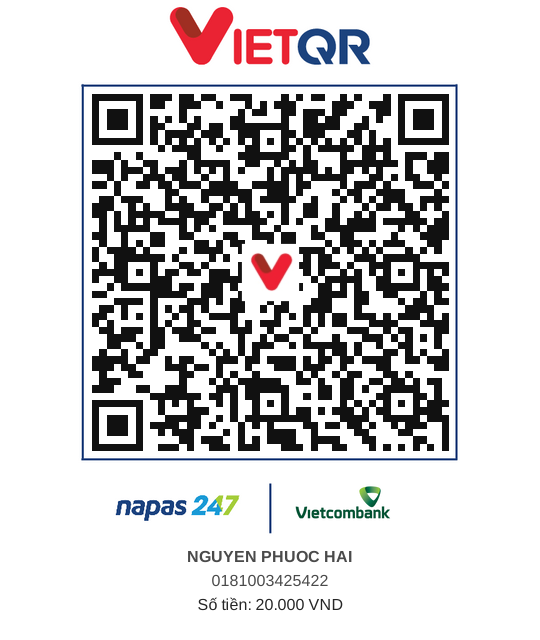 QR Banking
Bình luận & Đánh giá (0)
Vui lòng đăng nhập để bình luận
Hệ thống yêu cầu đăng nhập tài khoản để gửi bình luận, đánh giá và nhận phản hồi từ đội ngũ phát triển.
Đăng nhập ngay→