

Find my ID in Facebook
Find My Facebook ID tool helps look up FB IDs of Profile, Fanpage and Group quickly and accurately. Support checking data, connecting API, setting up applications and optimizing Facebook administration activities.
Tra Cứu ID Facebook (UID) Profile, Fanpage & Group Tức Thì
Dán đường dẫn Facebook hoặc bấm nút Mẫu Profile / Mẫu Fanpage / Mẫu Group ở trên để tự động nhận dạng và trích xuất UID ngay lập tức mà không cần bấm nút tìm kiếm.
Find My Facebook ID – Look up FB ID of Profile, Fanpage and Group quickly & accurately
Find My Facebook ID is a free online tool that helps you get a Facebook ID for your personal profile (Profile), Fanpage or Group in just a few seconds. Facebook ID is a unique identifier string of each account, page or group on the Facebook system, and it is widely used in many technical, marketing and application administration activities.
What is Facebook ID?
Each account, Fanpage or Group on Facebook has a unique identification number called Facebook ID. Unlike the display name, the ID is a constant string of numbers that helps the system and external applications accurately identify the object. For example, when you need to connect APIs, set ads, embed content or check statistical data, Facebook ID plays an important role.
Why do you need to get a Facebook ID?
Facebook ID codes are often used in the following situations:
- API connection to a third-party app or service
- Set up Facebook pixels, webhooks, chatbots, and automation
- Monitor Fanpage or Group activities through analytics tools
- Troubleshoot technical issues related to data points
- Advertisement management, custom audience (Custom Audience)
How Find My Facebook ID works
When you enter a Facebook Profile, Fanpage or Group link into the lookup field, the system will analyze the URL structure and query the data to return the corresponding ID. The tool works online so you don't need to install software, don't need to log in, and it's completely free.
Common Facebook URL formats
Facebook allows users to customize the name displayed in the URL, so you may see the following:
- https://www.facebook.com/username
- https://www.facebook.com/profile.php?id=1234567890
- https://www.facebook.com/groups/groupname
In cases where the URL uses a custom name, the ID is not directly visible. Then, Find My ID in Facebook will help you look up the exact ID number behind the display name.
How to get accurate Facebook Profile ID
Step 1: Copy the URL of the profile you want to look up.
Step 2: Paste into the Find My ID in Facebook box.
Step 3: Click search and immediately receive the Facebook ID number string.
This helps you define standard IDs for use in technical or application integration scenarios.
How to look up Facebook Fanpage ID
A Fanpage is a page that an individual or organization creates to promote a business, product, service, or general content. When managing multiple Fanpages, knowing the exact ID helps you:
- Link to analytics
- Create a custom audience for your ads
- Integration with CRM, API, chatbot
The lookup process is similar to Profile: copy Fanpage URL → paste into Find My ID in Facebook → receive Fanpage ID immediately.
How to look up Facebook Group ID
Facebook groups usually have a URL like https://www.facebook.com/groups/tengroup or a URL with a direct ID number. Using Find My ID in Facebook, you can easily get the group ID to:
- Set up API permissions
- Group data analysis
- Connect to administrative support tools
Important Facebook ID for Developers and Marketers
For Developers:
- ID is a required parameter when calling many Facebook APIs
- Supports identifying objects that need to retrieve data
- Helps initialize applications, webhooks, or automated systems
For Marketers:
- Facebook ID helps optimize advertising
- Create objects based on specific behavior
- Multi-channel data connection
Notes when using Facebook ID
1. **Security:** Do not share ID if not necessary, especially with personal Profile.
2. **URL Standard:** Make sure the URL is correct before pasting into the tool.
3. **No login required:** The ID lookup tool does not require you to log in to Facebook.
4. **Limit errors:** Custom URLs can cause confusion if copied incorrectly.
Compare Facebook ID and Username
Username is a custom name displayed on the URL, which can be changed by the user. Meanwhile, Facebook ID is a fixed, constant number string, helping the system accurately identify objects.
This makes Facebook ID an important parameter in most technical and data integration activities.
Facebook IDs and APIs
When you develop an application that uses the Facebook API, most endpoints require an ID to identify the data object. For example:
- Get posts from Fanpage
- Query members in Group
- Interaction analysis by user ID
Therefore, looking up IDs with a tool like Find My ID in Facebook is a necessary first step when programming to integrate with the Facebook system.
Common errors and solutions
Error not getting ID: Maybe the URL is incorrect or the content has privacy restrictions.
URL contains strange characters: Make sure the URL does not contain spaces or special characters and begins with https://facebook.com/...
Page does not exist: Check the URL again or make sure the user/Group/Page has not been deleted.
Conclusion
Find My ID in Facebook is a useful ID lookup tool for everyone from normal users to professionals. Understanding Profile ID, Fanpage or Facebook Group helps you connect API, manage advertising, analyze data and integrate systems more effectively. The tool works quickly, is free and does not require a Facebook login, so it is very convenient for all technical and marketing needs.
Mời đội ngũ iTools một ly cà phê ☕
iTools là nền tảng trực tuyến hoàn toàn miễn phí và không giới hạn. Nếu công cụ Find my ID in Facebook giúp ích cho công việc của bạn, một ly cà phê nhỏ sẽ là nguồn động viên to lớn để chúng tôi tiếp tục duy trì máy chủ tốc độ cao và phát triển thêm nhiều tiện ích mới!
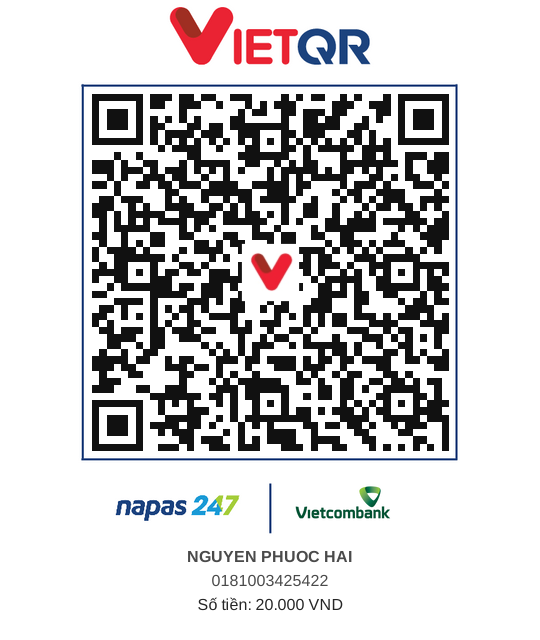 QR Banking
Bình luận & Đánh giá (0)
Vui lòng đăng nhập để bình luận
Hệ thống yêu cầu đăng nhập tài khoản để gửi bình luận, đánh giá và nhận phản hồi từ đội ngũ phát triển.
Đăng nhập ngay→